 Prospective Life Cycle Assessment (PLCA) on the web 🕸️
[ This is a work-in-progress for documentation pages of https://plca.indecol.no/]
Intro
[Research background]
Features
Interface, and a computing API, for:
- Background inventory lookup by name, unit and location (if applicable) in selected scenarios or biosphere flows
- Building, importing and exporting a foreground inventory in a tabular format
- Life Cycle Impact Assessment (LCIA) given the:
- Foreground inventory
- Selected LCIA method (from a hierarchical menu)
- Selected scenario, following various Integrated Assessment Models (IAM) and Shared Socioeconomic Pathways (SSP) (a hierarchical menu)
- Interactive visualization of LCIA results with:
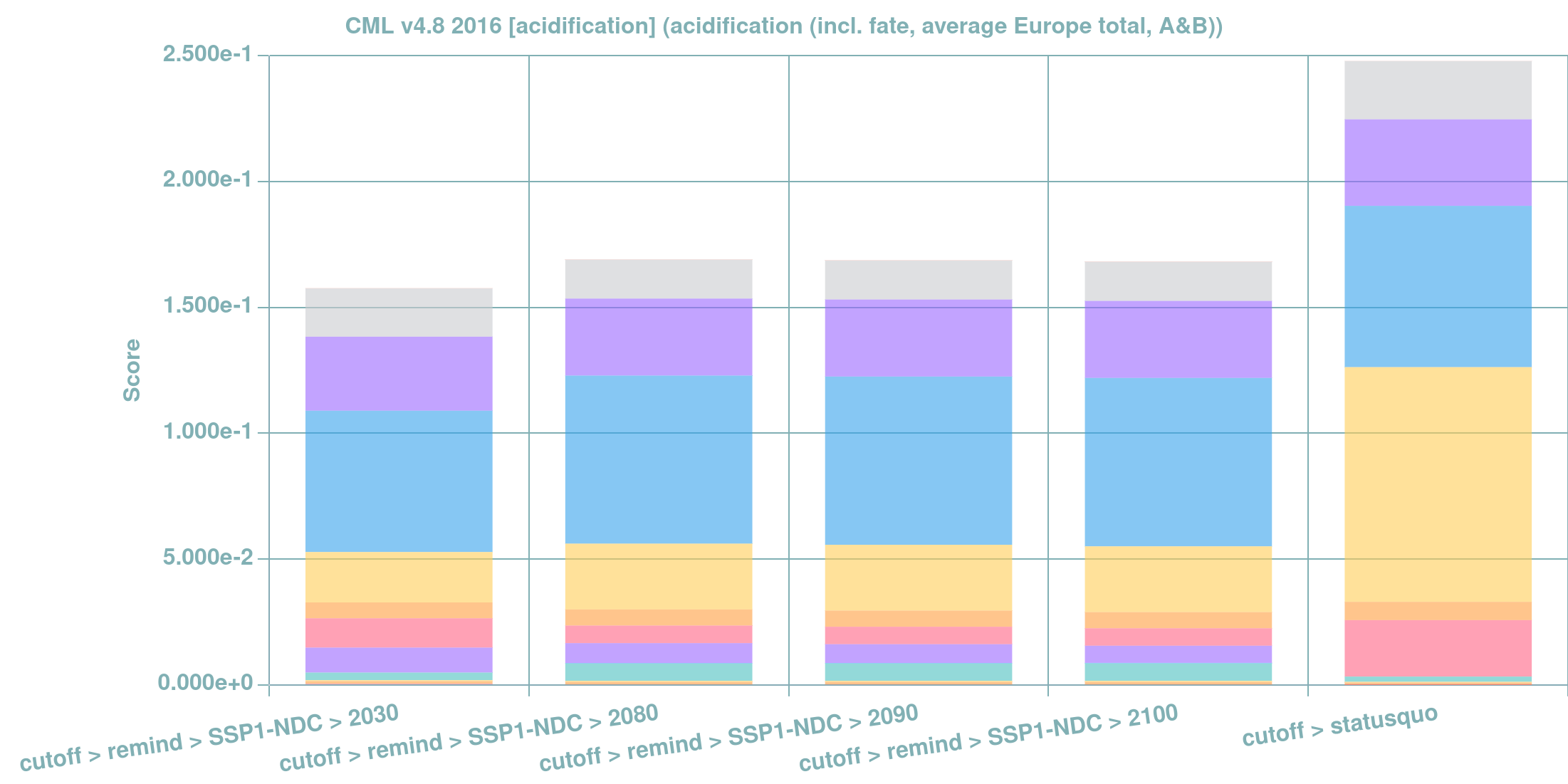
- Bar-chart stacked by LCIA scores per pollutant
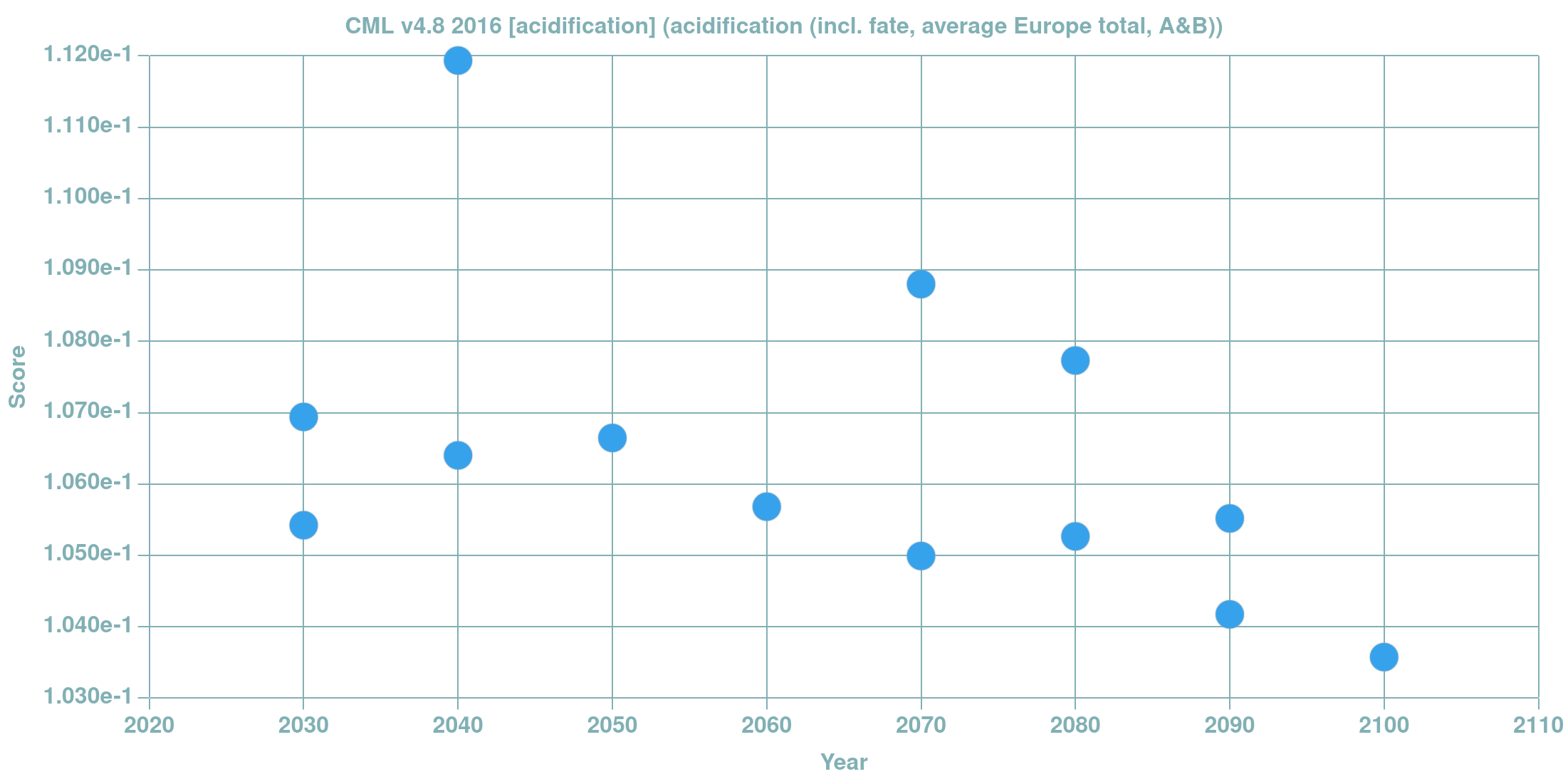
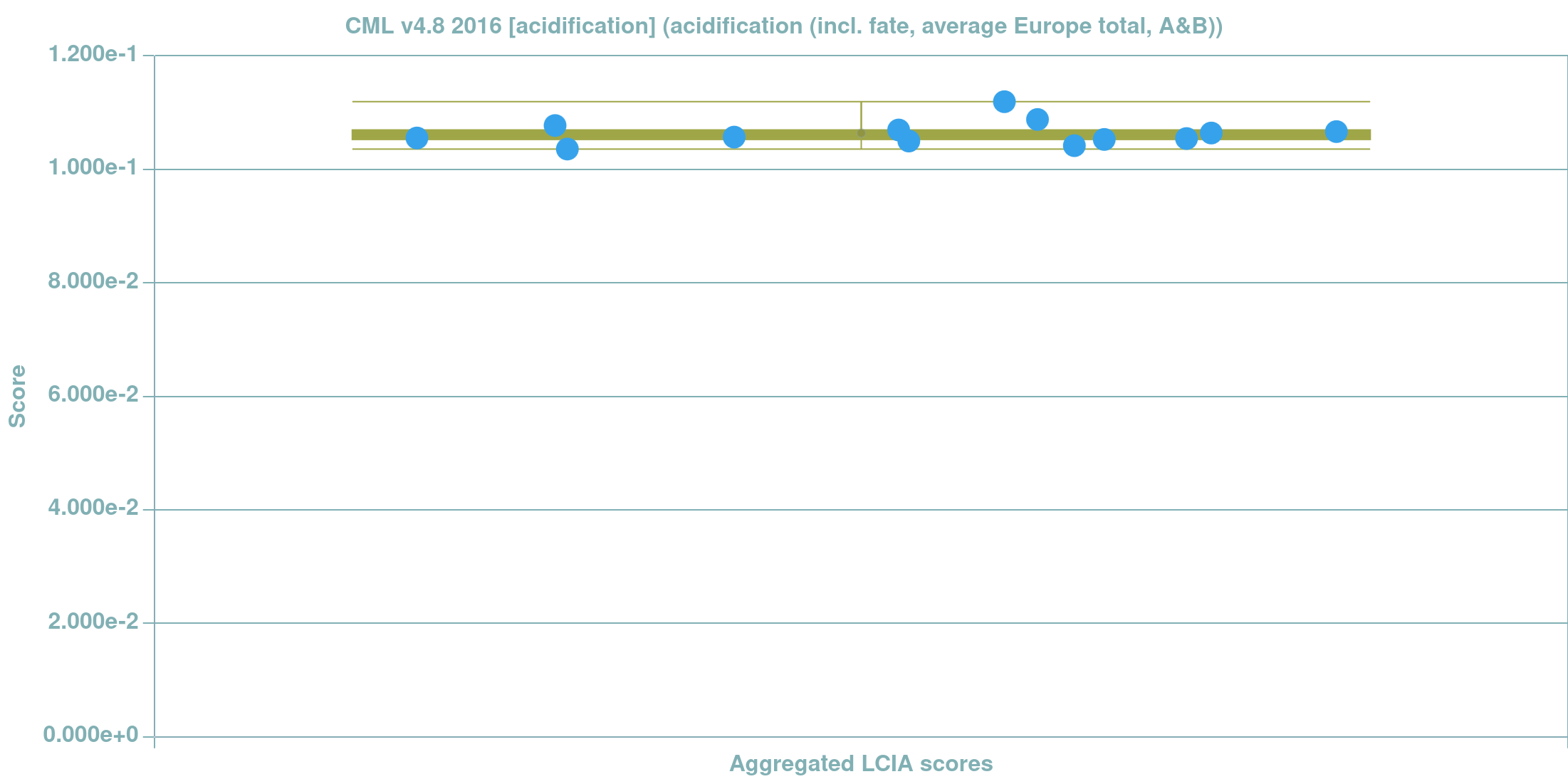
- Time series and box-plot with aggregated LCIA scores
- Export of LCIA results, graphical (.png, .svg) and tabular (.csv)
Background inventory is a variant of Ecoinvent dataset modified (by Premise) to represent social, technical and economic state-the-art at a given year under given scenario.
Foreground inventory can be either static (amount in foreground is broadcasted to all selected scenario years) or dynamic (amount in foreground matches selected scenario year). A diagram below illustrates the distinction.

Some examples of computational results, obtained with plca.indecol.no, are illustrated below: a stacked bar-chart with top pollutants per scenario modelled, a t-plot and a box-plot with aggregated LCIA scores.
To-dos:
- feature 1
- feature 2
- ...
Get started
Follow the guidelines for either local installation or accessing an application through a web-interface.
Check out examples page for guided tutorials.
NB
For more information on attributions, citations, license and contacts - refer to attributions page.